Recently, alongside AI image generation tools like Gemini, ChatGPT, Grok, and others, a new application has emerged called Dola AI (formerly known as Cici AI). Currently, Dola AI supports image generation using Seedream 5.0 — one of ByteDance's best models available today.
However, when you create images with Dola AI, the platform adds a Dola AI watermark when you download the image. Today, I will show you how to download Dola AI images without watermarks through Savevideoraw.com.
⚠️ Important Notice:
- This tool is for reference and AI learning purposes only.
- We encourage you to use images with the Dola AI watermark to help make this tool more popular and to prove that the images are AI-generated.
Step-by-Step Guide
1
Generate Your Image and Copy the Link
After you've successfully generated an image from your prompt on Dola AI, look for the share icon located below the image. Tap on it to copy the link to your image.
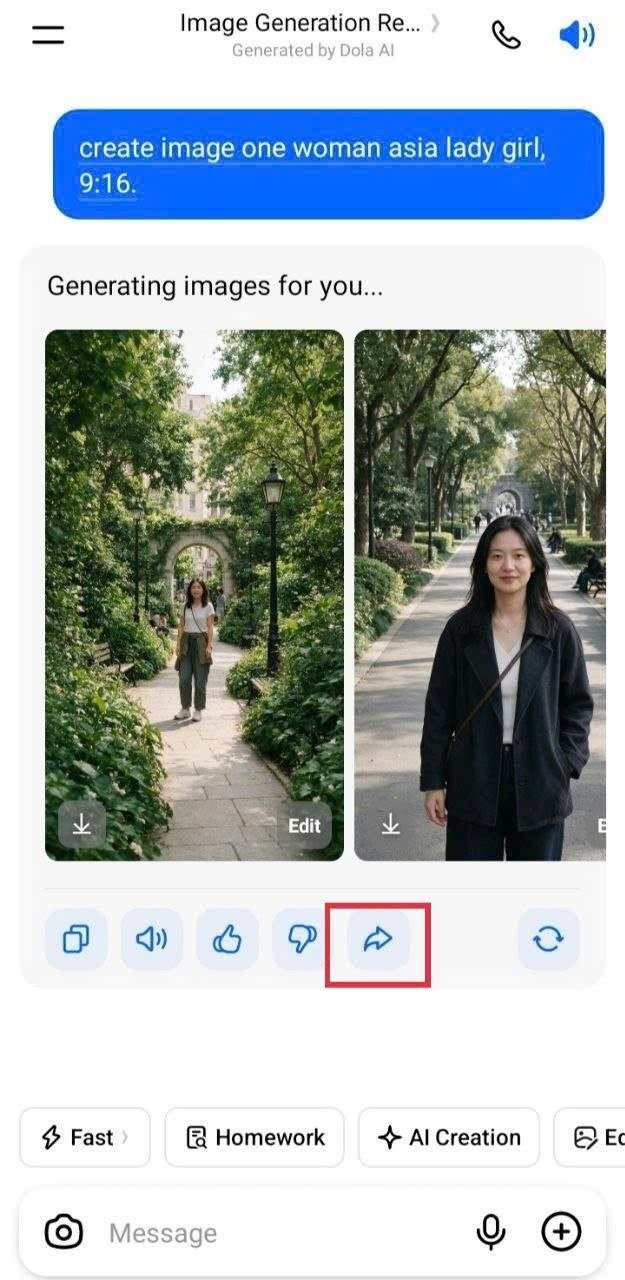
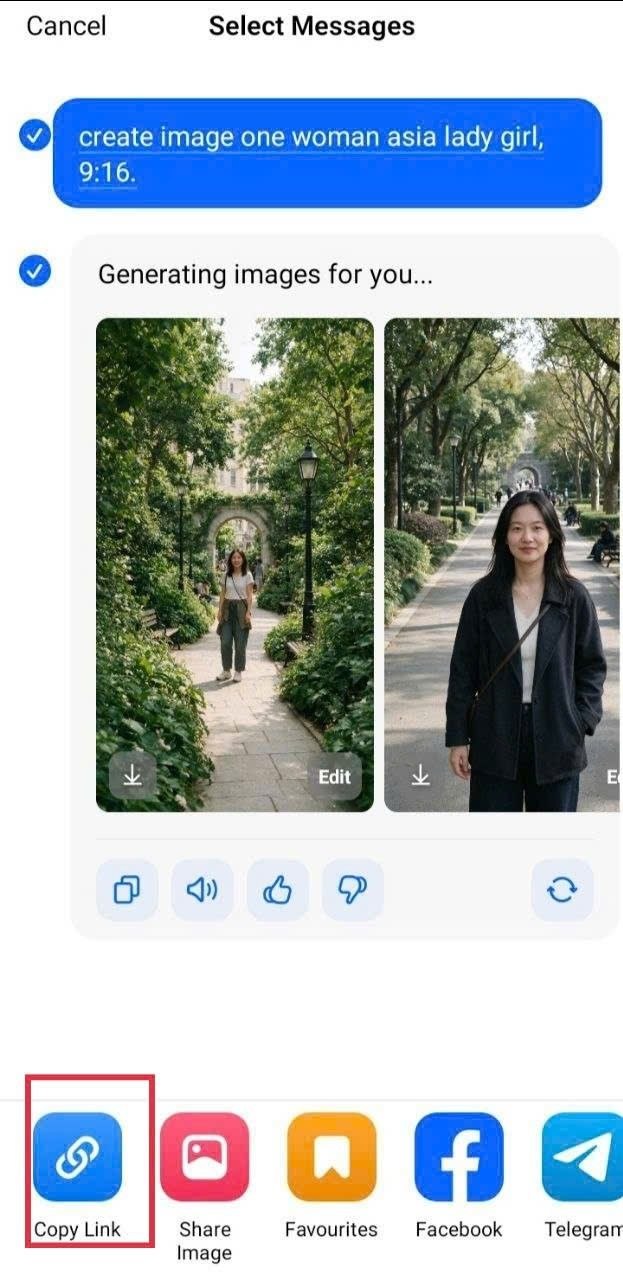
Tap the share icon below the image to copy the link
💡 Tip: The share icon is typically located in the bottom-right corner of the image. Tap it and select "Copy Link" to save the URL to your clipboard.
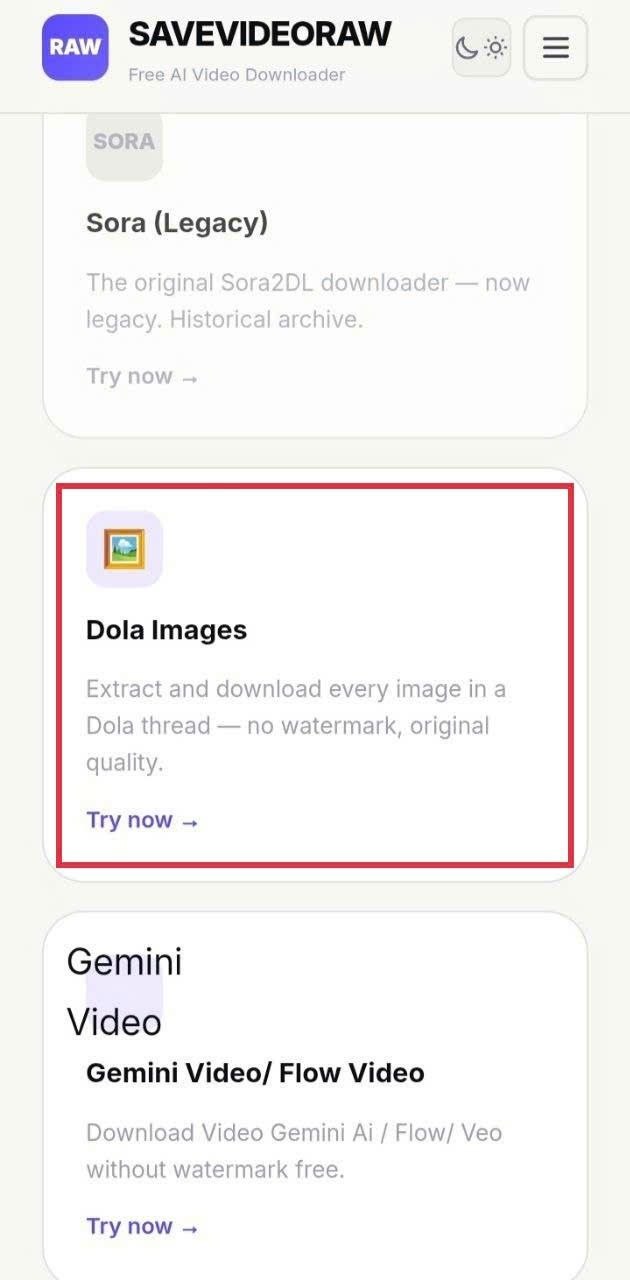 Step 2 Screenshot
 Step 3 Screenshot
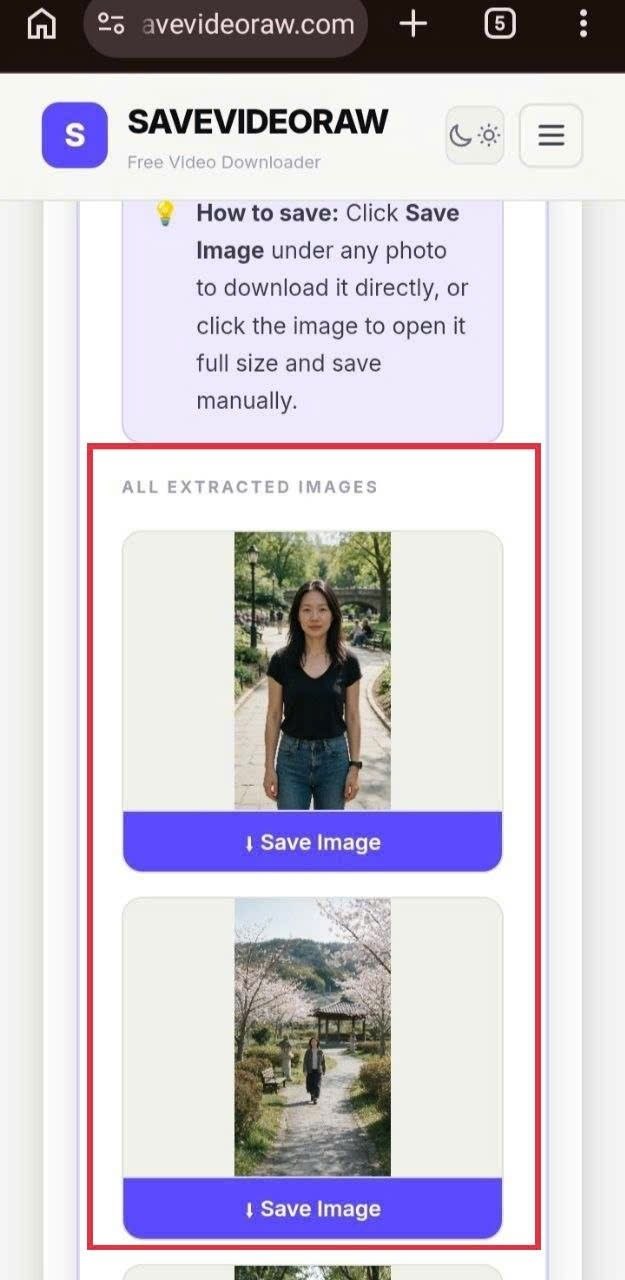 Step 4 Screenshot