Today, savevideoraw.com will guide you on how to download Dola AI (Cici AI) videos without watermarks for free on your phone, in a safe, easy-to-use, and highly effective way using an Extension.
- This is for educational and research purposes only. Do not use it for commercial purposes.
- All copyrights belong to Dola AI (Cici AI) by Bytedance.
- Currently, this method only supports Android and desktop computers.
Step-by-Step Guide
Download the Doubao Assistant Extension
First, download the Doubao Assistant extension here: (Download Link). After downloading, remember the location of the file and do not unzip it under any circumstances. Once you have the Extension file, proceed to the next steps.
Install Lemur Browser
Open Google Play or other app stores on your Android device. Search for the browser "Lemur Browser". Make sure you select the correct app as shown in the image below, then install it.
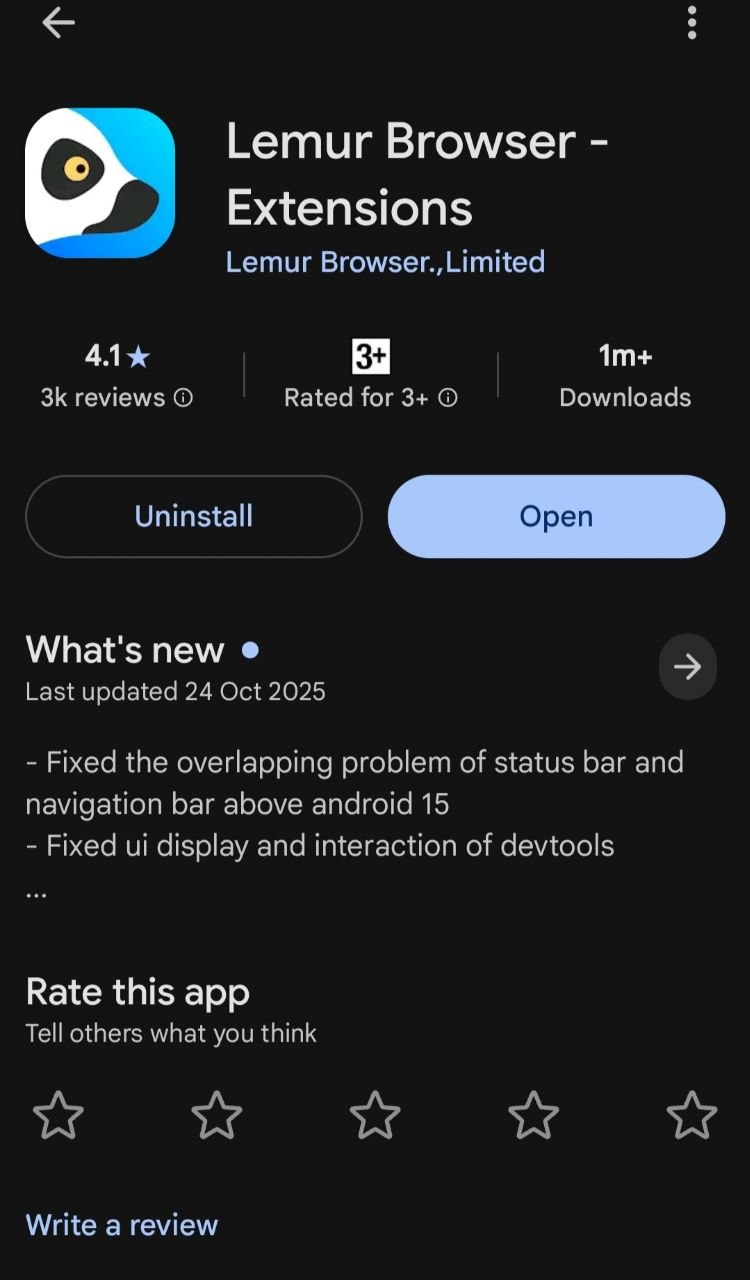
📱 Lemur Browser on Google Play
Open Lemur Browser & Tap Utilities
Open the Lemur Browser app and agree to the required terms. Then, tap on the Utilities/Extensions icon as shown in the image below.
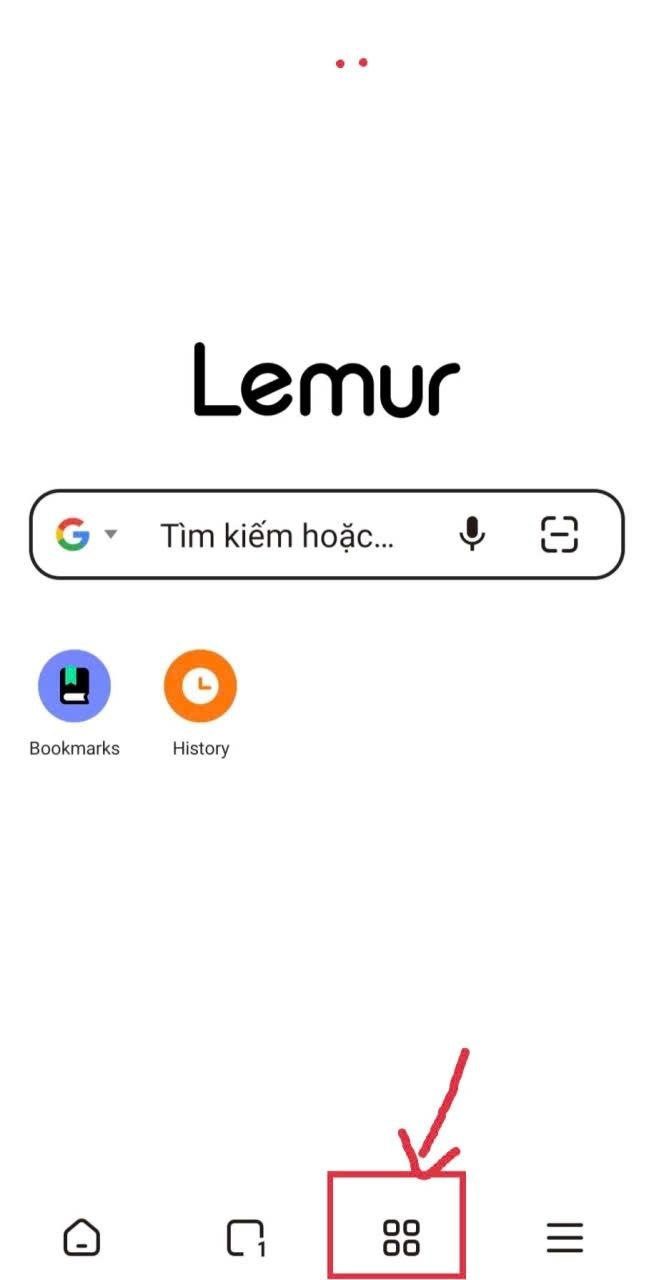
⚙️ Tap the Utilities icon
Open the Extension Section
After tapping the Utilities icon, you'll see the Extension option as shown in the image below. Tap on it to proceed to the next step.
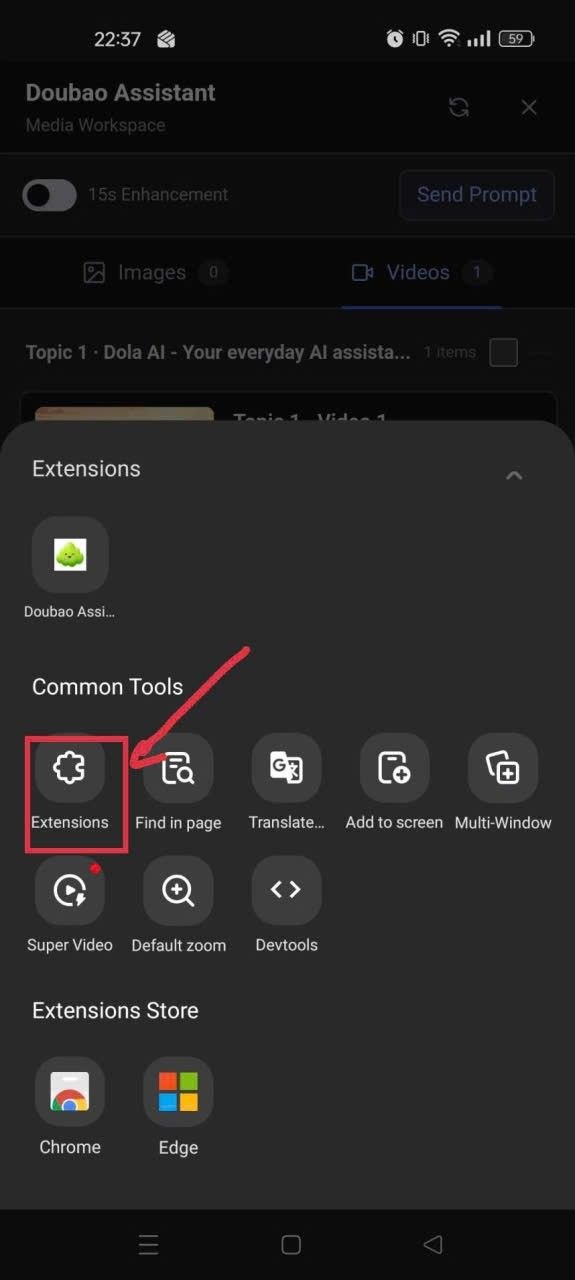
🧩 Extension section
Enable Developer Mode
This step is extremely important. To be able to use a third-party installed extension, you need to turn on "Developer Mode" by tapping the "Developer Mode" button as shown in the image below.
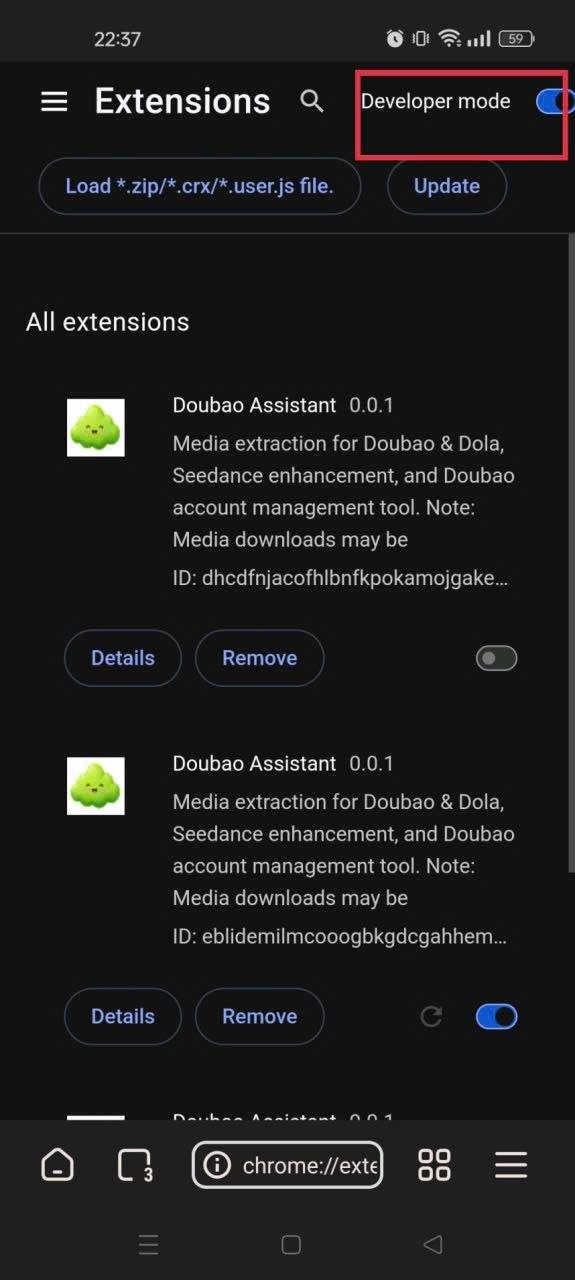
🔧 Toggle Developer Mode ON
Load the Extension File
After turning on Developer Mode, a "Load pack" button will appear. Tap on it, then navigate to the zip file you downloaded in Step 0 and upload it.
If you see the Doubao Assistant extension showing a green color and it's enabled, then you've succeeded.
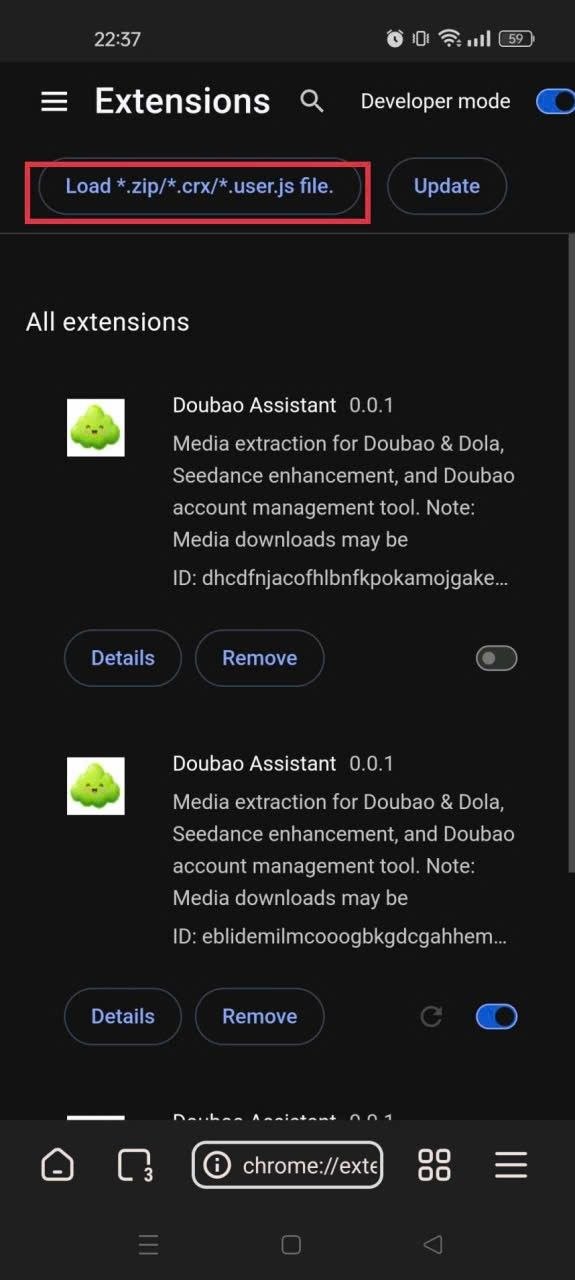
📂 Load pack — select your .zip file
Download Your Watermark-Free Video
Go to dola.com, log in with your account, and navigate to the video you've created. At this point, a blue button labeled "Doubao Assistant" will appear. Tap on it, and you'll see the video without a watermark and can download it.
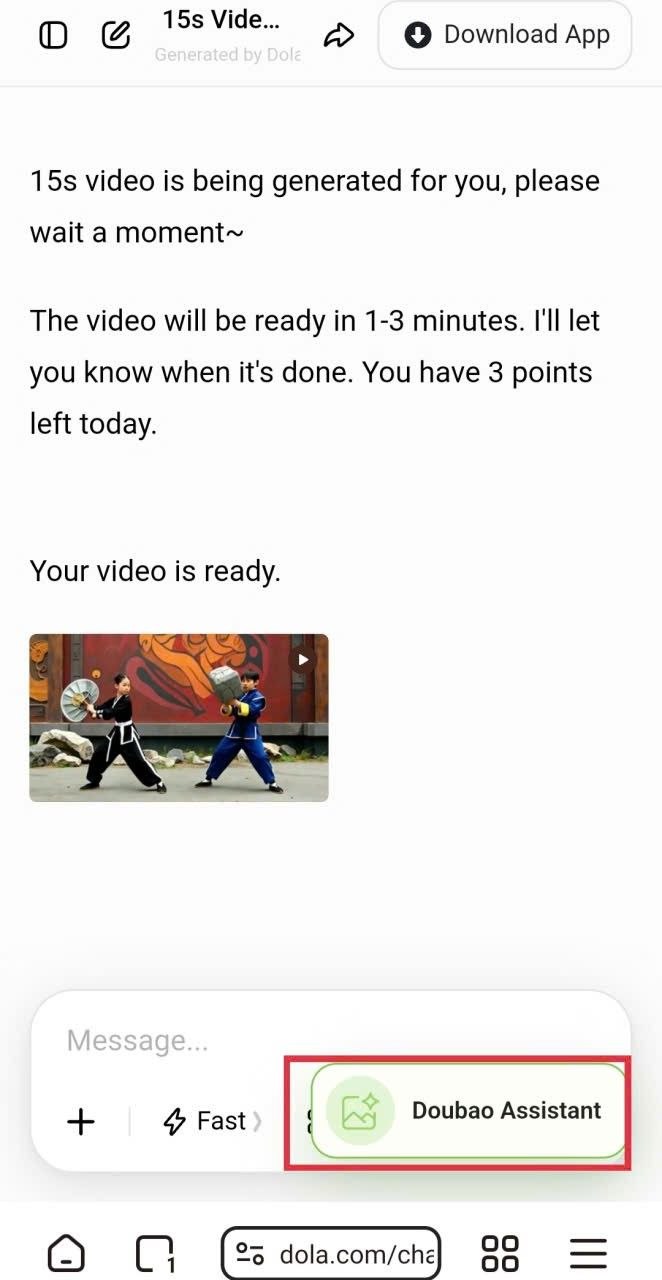
🎬 Click the blue "Doubao Assistant" button → Download
Supported Platforms
This extension supports downloading videos from:
- Dola AI (International version)
- Doubao AI (Chinese domestic version — 豆包AI)
Additionally, you can also download images from these platforms without watermarks.
savevideoraw.com also supports downloading videos from: Jimeng AI, Dreamina AI (International), Doubao AI, TikTok, Douyin, Facebook, Rednote, and over 10 other platforms.
👉 Visit savevideoraw.com for all your video downloading needs.
⚠️ Final Reminder
- This is for educational and research purposes only. Do not use for commercial purposes.
- All copyrights belong to Dola AI (Cici AI) by Bytedance.
- Currently, this method only supports Android and desktop computers.