In this article, savevideoraw.com will guide you on how to download Jimeng (Jianying / 即梦AI) videos generated with the Seedance 2.0 model without watermark. Please follow the steps below carefully.
Step-by-Step Guide
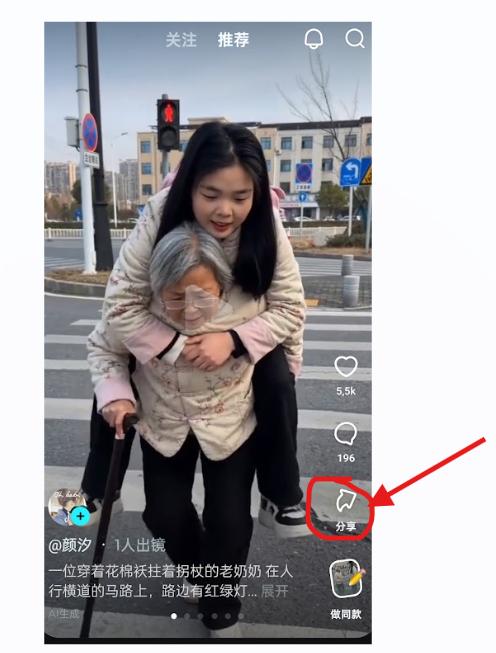
Open Your Video and Tap the Share Icon
Open one of your videos or any public video on the 即梦AI (Jimeng AI) application. Then tap the share arrow icon located in the corner of the screen as shown in the image below.
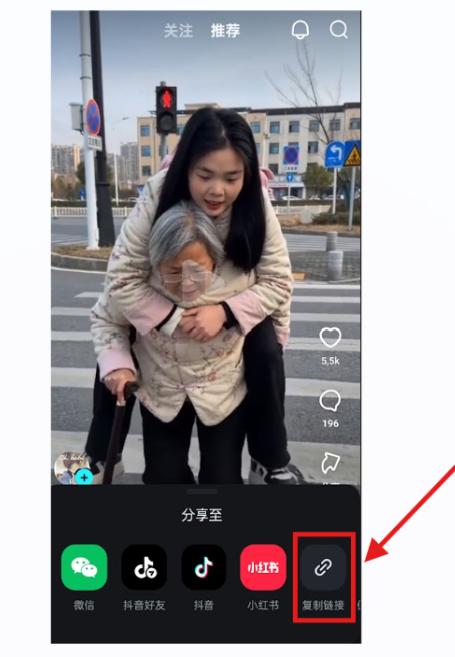
Copy the Public Video Link
After tapping the share arrow, several sharing options will appear. Tap the link icon as shown in the image below to copy the public video link to your clipboard.
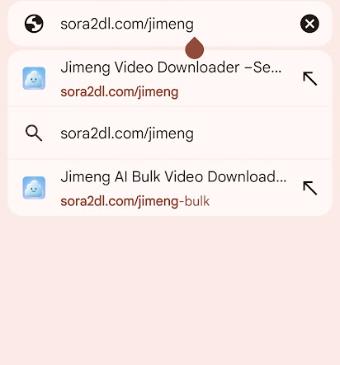
Go to the Jimeng Downloader Page
Open any web browser and go to savevideoraw.com/jimeng — the Jimeng video downloader without watermark page.
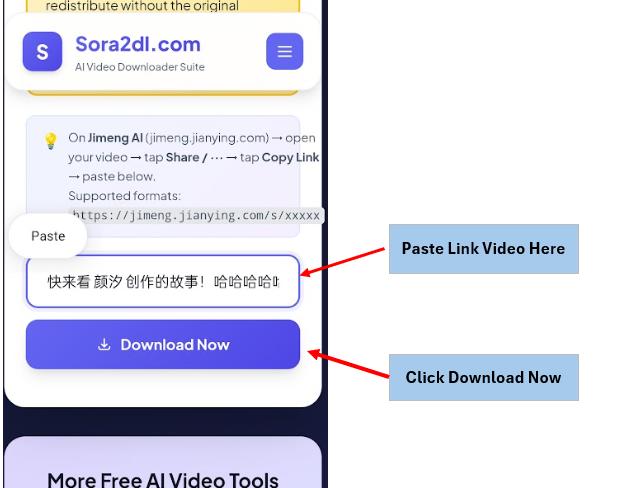
Paste the Link and Click Download
Paste the link you copied into the URL input box, then click "Download Now". The system will automatically process the video within about 5 seconds and display the results.
Currently supports up to 5 videos at the same time.
Download the Watermark-Free Video
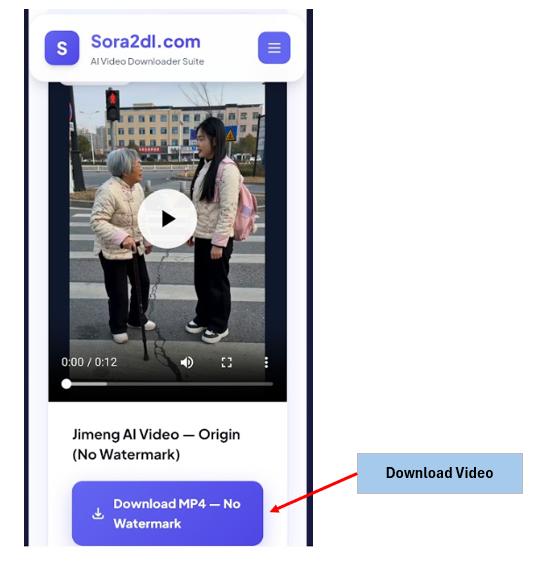
The result will appear on screen. Click "Download MP4 – No Watermark" to save the Jimeng / Seedance 2 video to your device. Video preview may vary depending on browser CORS settings.
⚠️ Important Notice
We encourage users to support the developers of Jimeng AI and Seedance by using original videos with watermarks when possible. The watermark serves as an important indicator that the content was AI-generated.
All video content belongs to their respective creators and platforms. By downloading videos, you agree to use them responsibly and in accordance with applicable terms of service. Read our full terms at savevideoraw.com/terms.