In this article, savevideoraw.com will guide you on how to download videos created with Dola AI (the international version of Doubao by ByteDance) without the Dola logo watermark. Dola currently supports the powerful Seedance 2.0 model — one of the world's leading AI video generation models in 2026. Please follow the steps below carefully.
Step-by-Step Guide
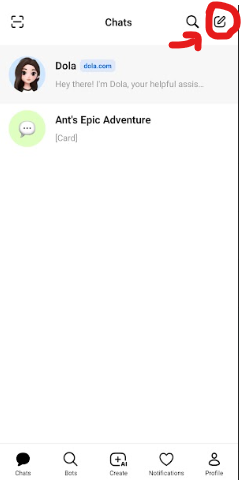
Start a New Conversation in Dola AI
Open the Dola AI app and create a new conversation. This is important — each video should be generated in its own separate conversation thread. This ensures the share link contains only one video, which allows savevideoraw.com to find and extract the clean video URL correctly.
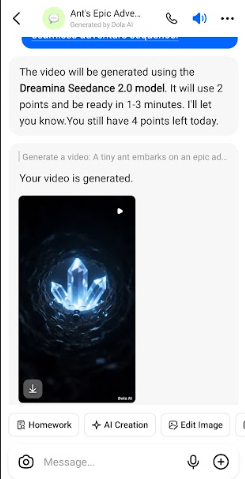
Generate Your Video in the New Conversation
Create your video inside the new conversation you just started — enter your prompt or upload an image and wait for Dola to finish generating. Once the video appears in the chat, do not tap to download it yet. Proceed to the next step first.
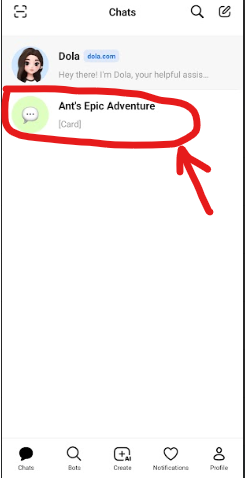
Long-Press the Conversation to Access Share Option
Go back to the Dola AI home screen where all your conversations are listed. Find the conversation you just created. Long-press (press and hold) on that conversation until a context menu appears — you should see a "Share Chat" option. Tap it.
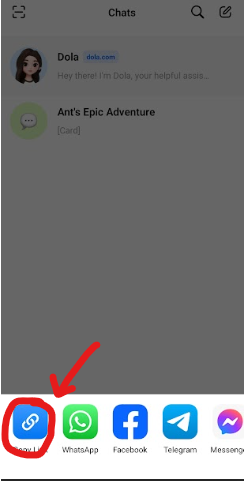
Copy the Conversation Share Link
After tapping "Share Chat", a sharing options panel will appear. Tap the link icon to copy the public conversation link to your clipboard. The link will be in the format: dola.ai/thread/xxxx or similar.
Go to the Dola Downloader Page on savevideoraw.com
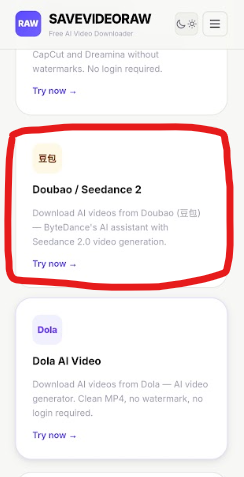
Open any web browser on your device and navigate to savevideoraw.com/dola — the Dola AI video downloader without watermark page. Scroll down to find the Dola download tool and tap "Use Now".
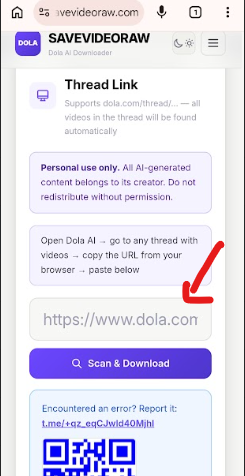
Paste the Link and Click "Scan & Download"
Paste the share link you copied (in the format dola.ai/thread/xxxx) into the URL input box on the downloader page. Then click "Scan & Download". Please wait approximately 50 seconds while our tool scans the conversation thread and locates the clean, watermark-free video URL.
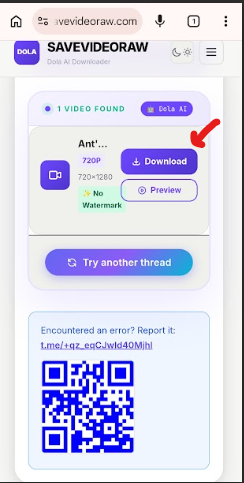
Download the Watermark-Free Video
Once the scan is complete, the result will appear on screen showing a preview of your video without the Dola watermark. Click "Download MP4 – No Watermark" to save the clean video to your device.
⚠️ Important Notice
We encourage users to support the developers of Dola AI and ByteDance by using original videos with the Dola watermark whenever possible. The watermark serves as an important indicator that the content was AI-generated — helping audiences distinguish between real and synthetic video.
All video content belongs to their respective creators and platforms. By downloading videos, you agree to use them responsibly and in accordance with applicable terms of service. Read our full terms at savevideoraw.com/terms.